Your free trading journal.
A clearer trading routine.
Your first trade or your thousandth: keep your trades, screenshots and lessons in one easy-to-use journal. Built for forex, stocks, crypto, futures and more — with a clean interface that makes reviewing your trading feel simple.
Free plan: 30 trades/month · 15 journal entries/month · 90-day history
One trading routine.
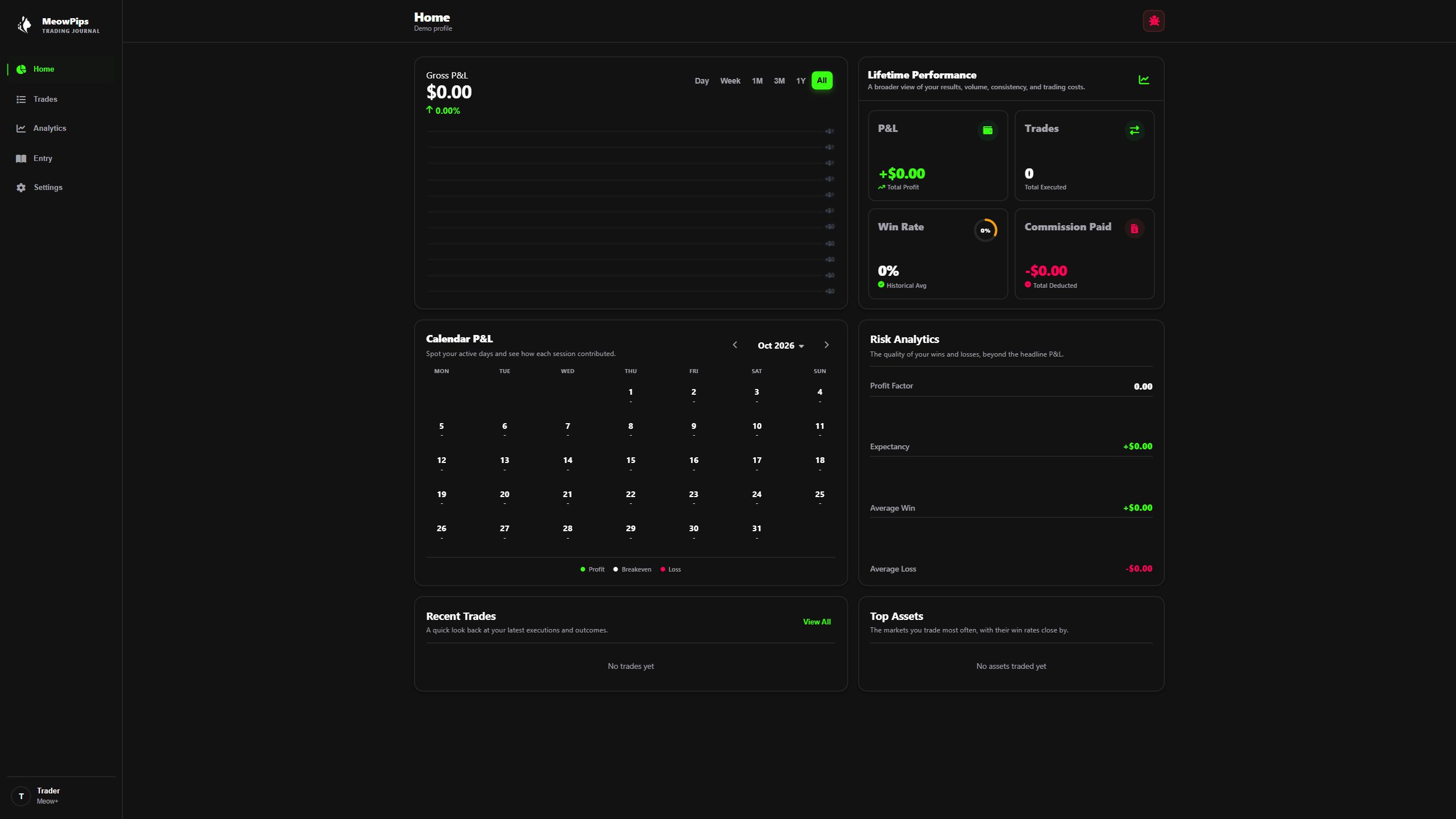
Actual web interface · sample data · tap a screen to explore
Whatever you trade,
make every lesson count.
A forex trading journal, stock trading journal or crypto trading journal — all in one place. Record your own symbols and realized results for futures, options, indices and commodities, too.
Manual trade logging and CSV import using the app's template. Record your results in your profile currency; broker connections and instrument-specific pricing are not required.
Less setup.
More understanding.
You don't need a complicated spreadsheet or years of trading experience. Start with one trade, one note and one thing to learn.
Log your trade
Add the symbol, risk and result manually, or import a CSV formatted to the app's template.
Capture the lesson
Write why you entered, how you felt and what you would change. Attach a chart screenshot for context.
Review your progress
See your profit and loss, win rate and calendar. Use your own records to spot habits worth repeating.
Journaling helps you review past trades. It does not guarantee future results.
Performance Analytics
- Win rate & profit factor at a glance
- See which hours you trade best
- Performance by strategy
- Clear, easy-to-read risk breakdown
Actual web interface · sample data · tap to explore
Easy Trade Journaling
- Rate execution from 1 to 10
- Attach high-quality chart screenshots
- Add personal notes to every trade
Actual web interface · sample data · tap to explore
Calendar View
- Jump to any year or month instantly
- Daily P&L shown right on the calendar
- Dots mark days with journal entries
- Full month overview at a glance
Actual web interface · sample data · tap to explore
Multiple Profiles Support
- Free plan supports up to 2 profiles
- Premium plans support up to 5 profiles
- Separate analytics for every profile
- Switch profiles in a single tap
Actual web interface · sample data · tap to explore
CSV Import & Screenshot Support
- Import CSV files using the app's required headers
- Attach multiple screenshots per trade
- Add screenshots to any journal entry too
- Zoom in to inspect every detail
Actual web interface · sample data · tap to explore
Journal Entries
- Rich text journal entries
- Emotion & confidence logging
- Attach multiple assets to each journal
- Up to 5 screenshots per journal
Actual web interface · sample data · tap to explore
Trade Analytics & Comparison
- Separate trade analytics page
- Compare each trade to your average
- Spot outliers at a glance
- Trade replay coming soon
Actual web interface · sample data · tap to explore
Performance Graphs
- Interactive equity curve
- Drawdown visualization
- Win rate & profit factor trends
- Custom date range graphs
Actual web interface · sample data · tap to explore
Report Generation
- Daily, weekly, monthly & yearly reports
- Custom date range for any period
- Clean, easy-to-read layout
- Ready to share or export in one tap
Actual web interface · sample data · tap to explore
Custom Timeframe & Sort Assets
- Custom date range selection
- Sort by asset, pair, or instrument
- Filter to focus on a specific pair
- Adjust view to any timeframe
Actual web interface · sample data · tap to explore
Start free.
Grow at your pace.
Start with free core journaling tools. Upgrade to Meow+ for full history, higher limits and an ad-free experience.
Meow+ also offers USD $59.99 yearly — save 17% compared with monthly billing. No free trial.
Looking for more details?
Compare all features and limits on our detailed pricing page.
View Full PricingGot Questions?
We have answers.
What should I look for in the best free trading journal?
Look for an easy way to record trades, clear performance charts, room for notes and screenshots, and transparent free-plan limits. The best fit is a journal you can use consistently. MeowPips brings those tools together in a beginner-friendly desktop and mobile interface.
Is MeowPips a free trading journal?
Yes. The Meowz plan is free forever, with no credit card required. It includes 30 trades and 15 journal entries per month, 90-day trade history and three statistics reports per month. Meow+ is optional if you need higher limits and full history.
Is this trading journal good for beginners?
MeowPips is built to make journaling easy to start. Add a trade, write what you learned and review your results in the dashboard and calendar. You can log trades manually without a broker connection or a complicated spreadsheet.
Which markets can I journal?
Record forex, stocks, crypto, futures, options, indices and commodities using your own symbols and realized profit or loss. Use your profile currency consistently. MeowPips is a journal for your recorded results; it does not price options, calculate contract values or execute trades.
Do I need a broker connection to use MeowPips?
No. Trades are entered manually or imported through CSV. The upload dialog shows the required headers and formatting instructions. Convert your broker export to that structure before uploading, and review the imported records for accuracy.
Can I import my trades from my broker?
No. Trades are entered manually or imported through CSV. The upload dialog shows the required headers and formatting instructions. Convert your broker export to that structure before uploading, and review the imported records for accuracy.
Is there a web app?
Yes. The web app is available in desktop and mobile browsers. Sign in to the same account to access saved records on another device. Refresh the relevant view to load changes; unsaved form input is not transferred between devices.
Does my data sync across devices?
Yes. The web app is available in desktop and mobile browsers. Sign in to the same account to access saved records on another device. Refresh the relevant view to load changes; unsaved form input is not transferred between devices.
How does prop-firm tracking work?
Prop-firm tracking uses logged trades and the rules you enter to compare your results with your configured limits. It does not monitor or control your broker account, block orders or send live broker-risk alerts. Keep your trade records up to date.
Is my trading data safe and secure?
Your account requires authentication, and journal records are scoped to your account. Keep your sign-in details private and review the Privacy Policy for how information is handled. We do not offer end-to-end encrypted journaling.
Can I use MeowPips on multiple devices?
Yes. The web app is available in desktop and mobile browsers. Sign in to the same account to access saved records on another device. Refresh the relevant view to load changes; unsaved form input is not transferred between devices.
What's the difference between Free and Premium?
Meowz includes 30 trades and 15 journal entries per month, a 90-day history window, two profiles, seven screenshot uploads and three statistics reports per month. Check Settings → Usage for your current usage.
Meow+ provides unlimited trades, journal entries and statistics reports, full history, up to five profiles and 100 screenshots per month. There are limits of three images per trade and five per journal entry. Web plans cost USD $5.99 monthly or $59.99 annually, with no free trial. Checkout displays the final amount and any applicable tax.
Still have questions?
Explore our comprehensive knowledge base for deeper insights on tracking, psychology, and manual prop firm journaling.
View Complete FAQNew to journaling?
Start with a little help.